仓库属于你
加密文件直接保存到你指定的 GitHub 私有仓库;码渡不运营额外的中转服务器。你也可以随时撤销 Token。
码渡(Madu · Codex to Codex)可以在 Windows 与 macOS 之间加密同步 Codex 任务和技能。数据只进入你自己的 GitHub 私有仓库;同步不会在后台自动发生,每一步都由你发起。
为什么用码渡
加密文件直接保存到你指定的 GitHub 私有仓库;码渡不运营额外的中转服务器。你也可以随时撤销 Token。
没有后台自动上传。下载、选择、上传,每一步都由你发起。
任务同步用户消息、助手回复与历史计划;技能同步 SKILL.md、脚本、素材和参考文件,并拦截常见凭据与缓存目录。
安全同步顺序
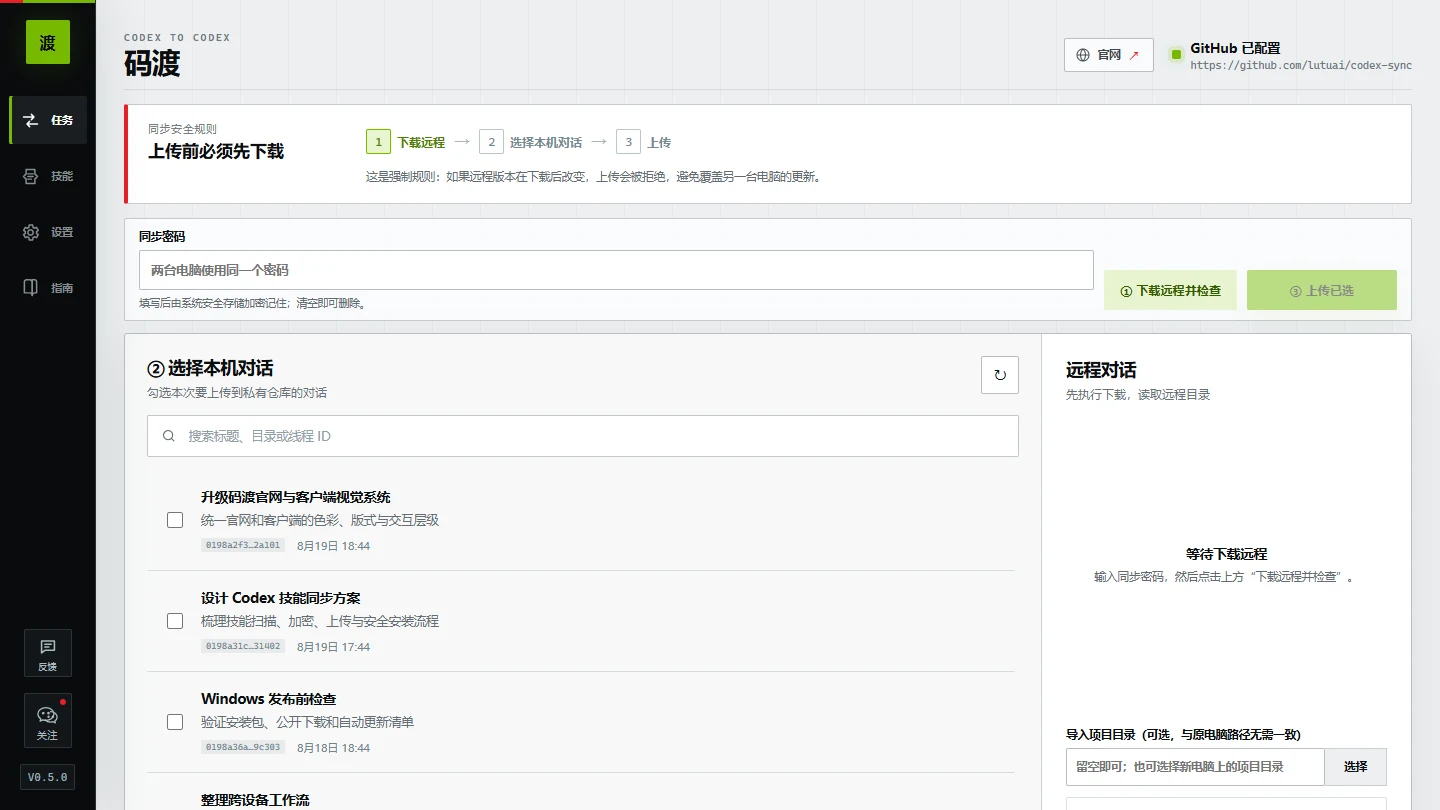
这不是一句提醒,而是一道不能跳过的冲突保护。
读取远程加密任务和技能,并记录当前 Git commit。
只有你勾选的任务或技能才会被加密和上传。
远程若出现新提交,码渡会拒绝覆盖并要求重新下载。
桌面客户端
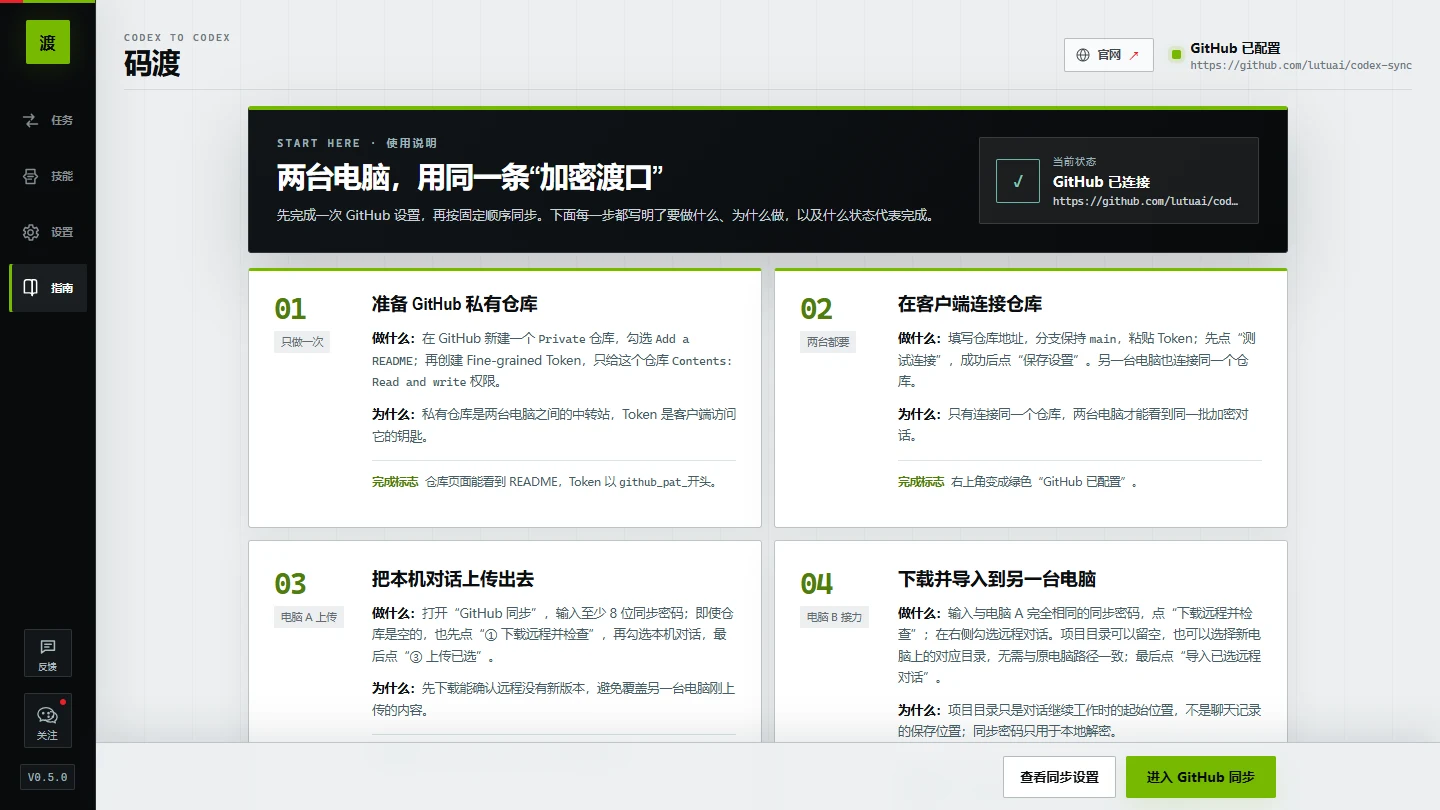
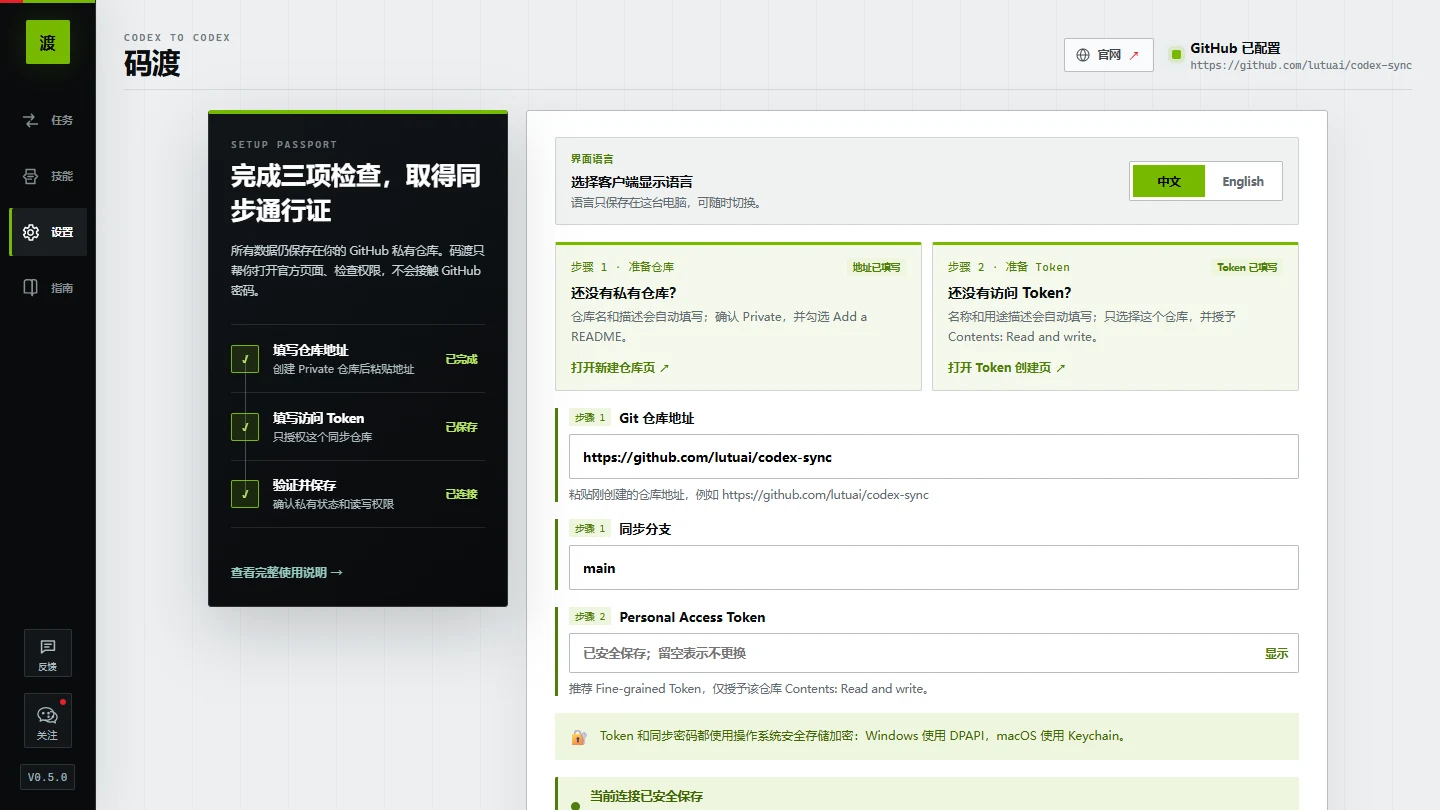
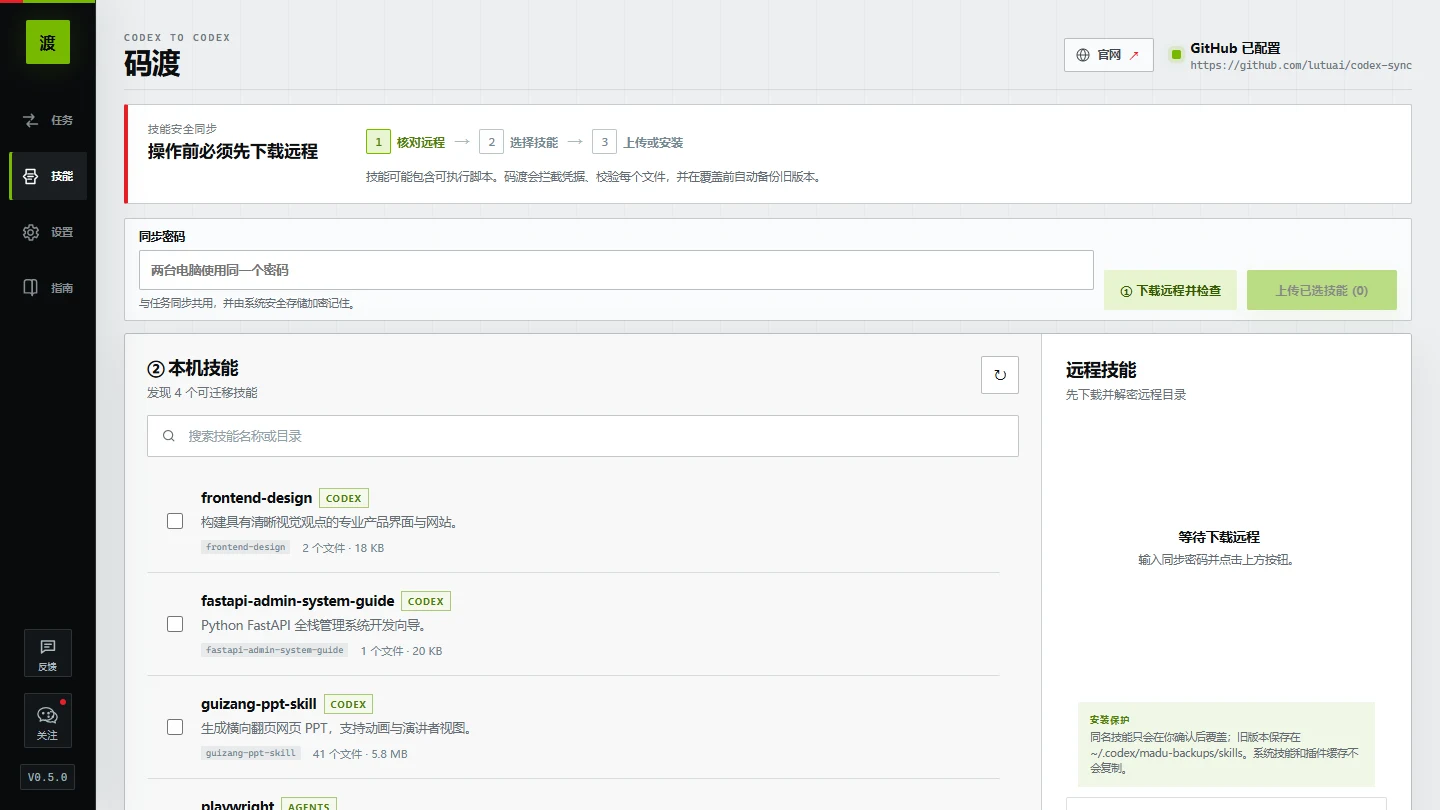
任务、技能、仓库设置和使用指南都有清晰入口。技能安装前逐文件校验,覆盖同名技能前自动备份旧版本。
本机加密后上传
任务与技能在离开电脑前完成 AES-256-GCM 加密,GitHub 保存的是 .c2c 加密文件。技能安装还会校验 SHA-256、阻止路径越界,并在覆盖前备份旧版本。同步密码与 GitHub Token 都由操作系统安全存储加密保护。
渡送档案
这些答案来自当前版本的真实工作方式,方便你判断码渡是否适合自己的 Codex 工作流。
码渡是一款 Codex 对话跨电脑同步工具。它在本机加密你选中的对话,再通过你自己的 GitHub 私有仓库,将对话下载并导入另一台电脑。
当前版本同步用户消息、助手回复和历史计划。码渡不会另行打包工具日志、本机凭据库或项目文件;但如果 Token、密码等敏感信息已经出现在所选对话的消息文本中,它仍会随对话同步。
码渡扫描 .codex/skills 和 .agents/skills,同步技能目录中的 SKILL.md、脚本、素材和参考文件。系统技能、插件缓存、node_modules、虚拟环境和常见凭据文件不会复制。
加密后的对话以 .c2c 文件直接保存到你指定的 GitHub 私有仓库;码渡不运营额外的中转服务器。
对话内容在离开电脑前使用 AES-256-GCM 加密。GitHub 会看到 .c2c 文件和提交元数据,但没有正确的同步密码,无法读取远程对话的标题和明文内容。
不会。码渡没有后台自动上传;下载、选择和上传都需要由你主动操作。
每次上传前必须先下载远程内容并记录当前 Git commit。若上传前远程仓库发生变化,码渡会阻止上传并要求重新下载。
仓库必须是已初始化的私有仓库,Token 需要具备 Contents: Read and write 权限。为遵循最小权限原则,推荐使用仅授权该仓库的 Fine-grained Personal Access Token。
会以加密形式保存在当前电脑。同步密码和 GitHub Token 均使用 Electron safeStorage 保护:Windows 使用 DPAPI,macOS 使用 Keychain。同步密码框清空后,已保存的同步密码也会删除。
提供 Windows x64 安装包,以及适用于 macOS 12 及以上、兼容 Apple 芯片与 Intel 芯片的 Universal DMG 和 ZIP。macOS 安装包当前尚未进行 Apple Developer ID 签名和公证。
不需要。导入后的对话可以直接在正在运行的 Codex 应用中打开。
不是。码渡是独立第三方工具,并非 OpenAI 官方产品,也不受 OpenAI 背书。Codex 是 OpenAI 的产品名称。
名字的来处
我总把每一段 Codex 对话,想象成一艘载着思路的小船。
“码”,既是代码,也是我们与 AI 一起积累的上下文。
“渡”,是把尚未完成的想法,从这台电脑安全送往另一台电脑,让工作在新的地方继续。
数据保存在你的仓库,渡送由你发起;码渡只负责把选中的工作记忆,稳稳送到另一台电脑。
制作者
我是鹿先森(Lutu AI),一名把 AI 真正用进日常工作的实践者。我持续研究 Codex、自动化工作流和 AI 工具,也把踩过的坑与可复用的方法整理出来。
“工具的价值,不在演示里有多惊艳,而在它能不能接住下一次真实工作。”
微信扫一扫,获取 Codex 工作流、AI 工具与实战更新。
开始渡送
当前版本 v0.5.0。Windows x64 与 macOS 12+ Universal 安装包现已通过公开 GitHub Release 提供下载;macOS 包当前尚未签名和公证。
从 GitHub Token 配置到第一次同步,按步骤了解码渡的完整使用流程。